
Choosing the right digital signage software can seem simple at first.
You have a screen. You have content to display. Now you just need an easy way to manage everything.
But once you start comparing digital signage platforms, things can get complicated quickly.
One platform highlights integrations. Another focuses on enterprise features. Another offers interactive displays or kiosks. Some work with the hardware you already have, while others are built around their own signage devices.
Before long, you’re comparing dozens of features and wondering which ones you actually need.
And that’s the real challenge: finding digital signage software that solves your problem without making things more complicated.
With so many digital signage solutions available today, it helps to start with a clear idea of what you want your screens to do.
The goal isn’t to pay hundreds of dollars for a platform packed with features you may never use. It’s to find a solution that fits your business, your screens, your budget, and the way you plan to manage your content.
That’s what this guide is here to help you with.
Instead of simply comparing feature lists, we’ll look at what each digital signage platform offers, how much it costs, what users say about it, and the key things you should consider before making a decision.
Depending on your business, you may want digital signage software to:
- Display menus, promotions, offers, or announcements
- Manage digital screens across multiple locations
- Connect with the business tools you already use
- Display live dashboards, news, weather, or other information
- Create interactive kiosk and self-service experiences
- Run content through dedicated digital signage hardware
- Manage advertising across a network of screens
All of these are common digital signage use cases. The important part is finding the features that actually match your needs.
| Company | Key Focus / Capabilities | Pricing | Free Trial |
|---|---|---|---|
| Company: DotSignage | Key Focus / Capabilities: Content creation, scheduling, apps, and remote screen management | Pricing: $10/screen/mo (annual) | Free Trial: 7 days, no card needed |
| Company: ScreenCloud | Key Focus / Capabilities: Digital signage with integrations and connected business apps | Pricing: From $24/screen/mo | Free Trial: 14 days |
| Company: Signagelive | Key Focus / Capabilities: Digital signage with enterprise management and security features | Pricing: $270/player/year | Free Trial: Free Trial Offered upon request |
| Company: NoviSign | Key Focus / Capabilities: Digital signage, interactive displays, and kiosk experiences | Pricing: From $16/screen/mo | Free Trial: 30 days |
| Company: Pickcel | Key Focus / Capabilities: Centralized digital signage and multi-location management | Pricing: From $15/screen/mo | Free Trial: 14 days |
| Company: TelemetryTV | Key Focus / Capabilities: Digital signage, dashboards, live data, and workplace communication | Pricing: From $9/screen/mo | Free Trial: 30 days |
| Company: CrownTV | Key Focus / Capabilities: Digital signage with managed design and content services | Pricing: Custom quote | Free Trial: Free Trial Available |
| Company: BrightSign | Key Focus / Capabilities: Dedicated digital signage media players | Pricing: Hardware/licensing on request | Free Trial: 30 days |
| Company: Vistar Media | Key Focus / Capabilities: Digital out-of-home advertising and screen monetization | Pricing: No Details Available | Free Trial: No Details Available |
Pricing and trial information can change, so check with the provider for the latest details before purchasing.
Compare Digital Signage Software
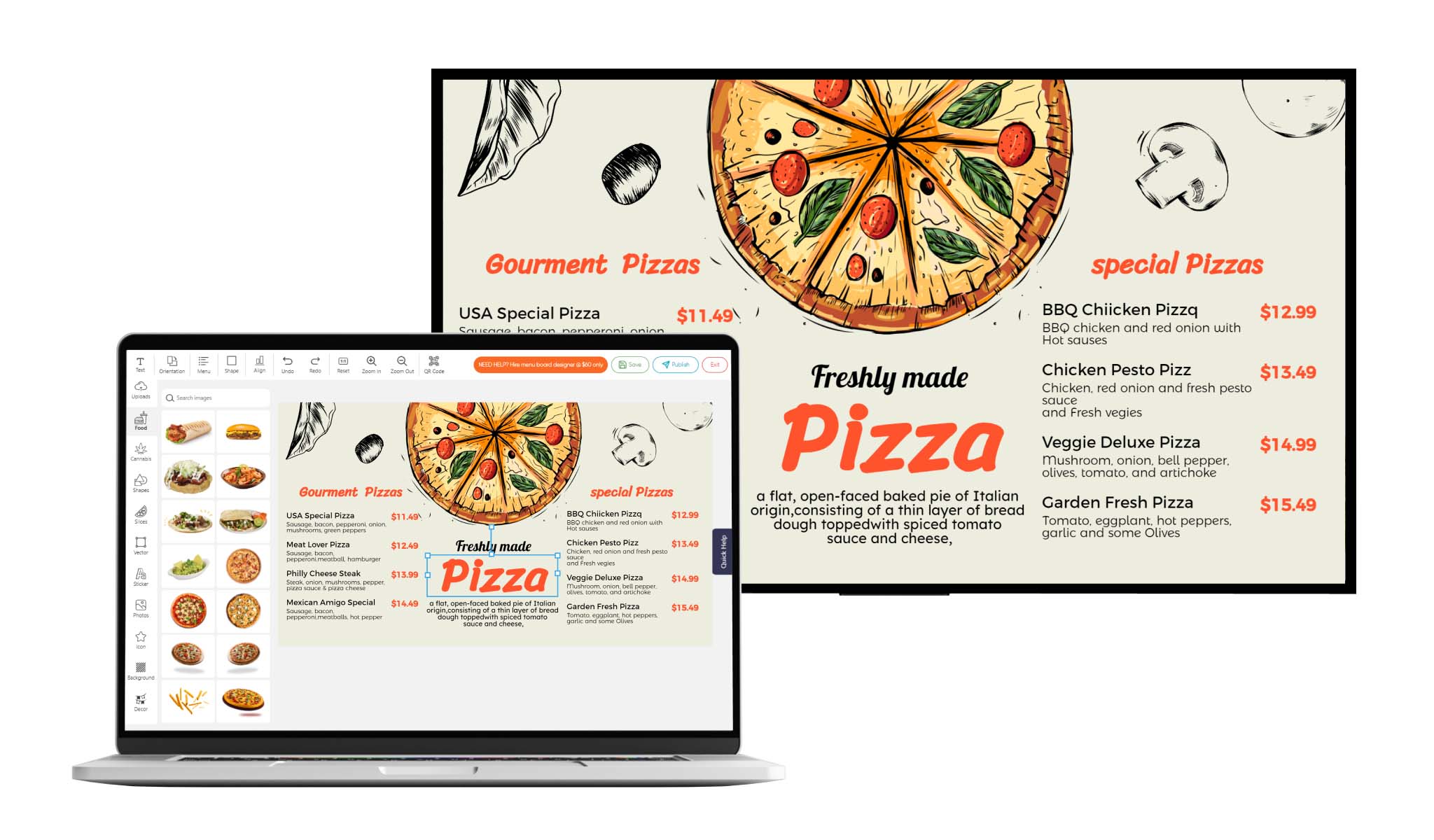
Best Digital Signage Template Editor
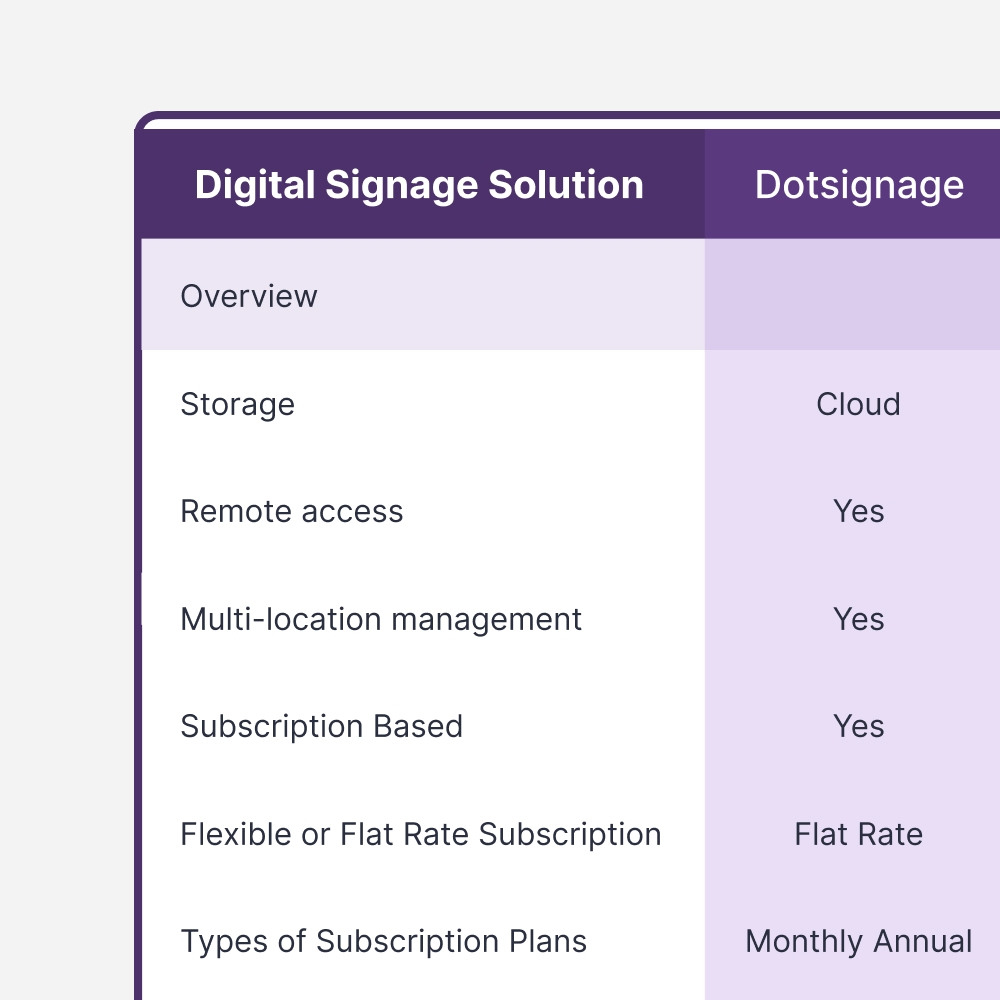
| Free Trial | Yes, 7-Day |
| Support & Training | Support Articles, How to Video, One-to-One Training |
| Supported Hardware | Android TV, Firestick Enabled TV, Google Chromcast with Google TV, Amazon Firestick and Android Tablets |
| Third Party Integration | Yes - Google Drive, Weather, News Feed |
If you’ve ever managed a digital menu boards, you know that putting content on the screen is only half the job.
The real work starts when that content needs to change.
Maybe breakfast needs to switch to lunch at 11 AM. A promotion should run for three days. A different message needs to appear on another screen. Or you need to update several screens without being in front of each TV.
DotSignage lets you create, schedule, and manage your content remotely.
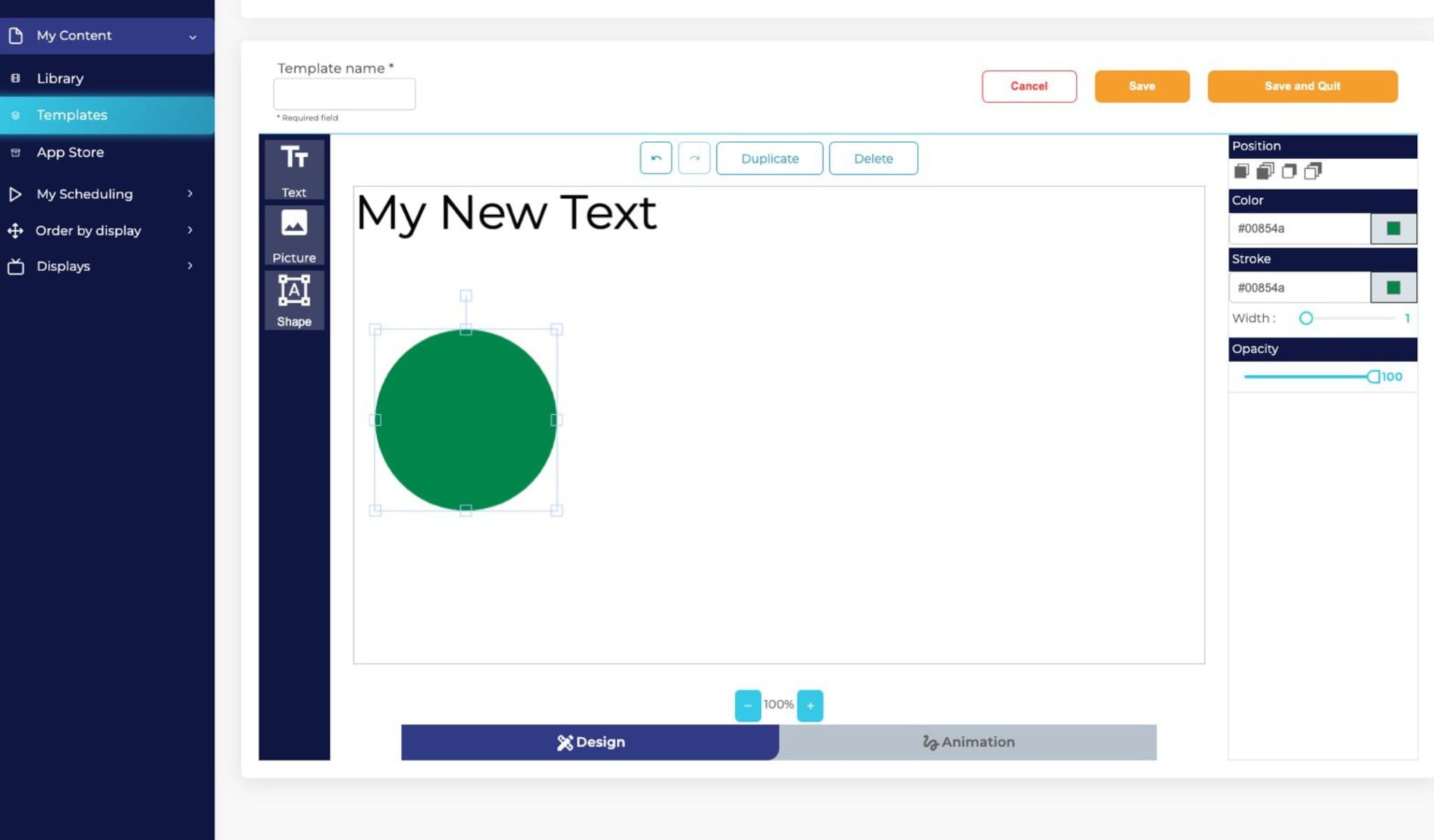
The platform includes a drag-and-drop editor, 750+ templates, scheduling tools, multiple content formats, and 30+ apps. You can also add your own images, videos, logos, and other content.
Scheduling is useful when you don’t want someone manually changing the screen every time. Set the timing once, and the content can change automatically.
You can also manage your screens remotely, which means you don’t have to be physically at the display to make an update.
What does it cost?
DotSignage costs $10 per screen per month when billed annually, or $12 per screen per month when billed monthly.
There’s also a 7-day free trial with no credit card required.
What stands out?
If you’re comparing a few platforms, there are a few practical things worth looking at:
Lots of templates. DotSignage has 750+ editable templates, a dedicated template editor, and 30+ built-in apps. You can also bring in content from tools such as Google Slides and Sheets, along with weather and news feeds.
One straightforward plan. The Standard plan includes apps, unlimited playlists and schedules, and a dashboard for managing multiple screens. You don’t have to keep checking which feature is included in which tier.
Quick setup. Connect a supported device, install the app, enter the activation code, and you’re ready to go. DotSignage says setup can take less than five minutes.
Support is included. DotSignage says its platform is hosted on AWS with 99.99% stated uptime. Plans also include onboarding and a dedicated account manager.
It can grow with your screen count. SignageList reports 7,000+ active screens, and DotSignage’s customer stories include restaurants spread across the US.
Easy-to-Use Interface. DotSignage is designed to keep digital signage simple. Its intuitive interface makes it easy to create, manage, and update content without extensive training. Whether you’re managing a single screen or multiple displays across different locations, you can quickly make changes and keep your content up to date – all from one easy-to-use platform.
What do customers say?
Ease of use comes up often in customer feedback.
People who have tried other menu board tools say DotSignage felt simpler to use. Restaurant owners also mention being able to make quick changes, such as updating prices or switching menus.
Support is another theme that comes up. Some customers mention getting quick responses when they need help.
That’s worth considering. A platform can have all the features you need, but if it’s difficult to use or hard to get help with, managing your screens can become frustrating.
Extensive app integrations
| Free Trial | Yes, 14-Day |
| Support & Training | Step-by-step guides, Customer Support, ScreenCloud University and Webinars |
| Supported Hardware | Amazon Fire TV Devices, Android Devices, ChromeOS Devices, Windows and macOS Computers, iOS Devices, LG webOS, Samsung Tizen Displays and BrightSign Media Players |
| Third Party Integration | Yes - YouTube, Instagram, Google Slides, Microsoft Teams and GraphQL API for custom integrations |
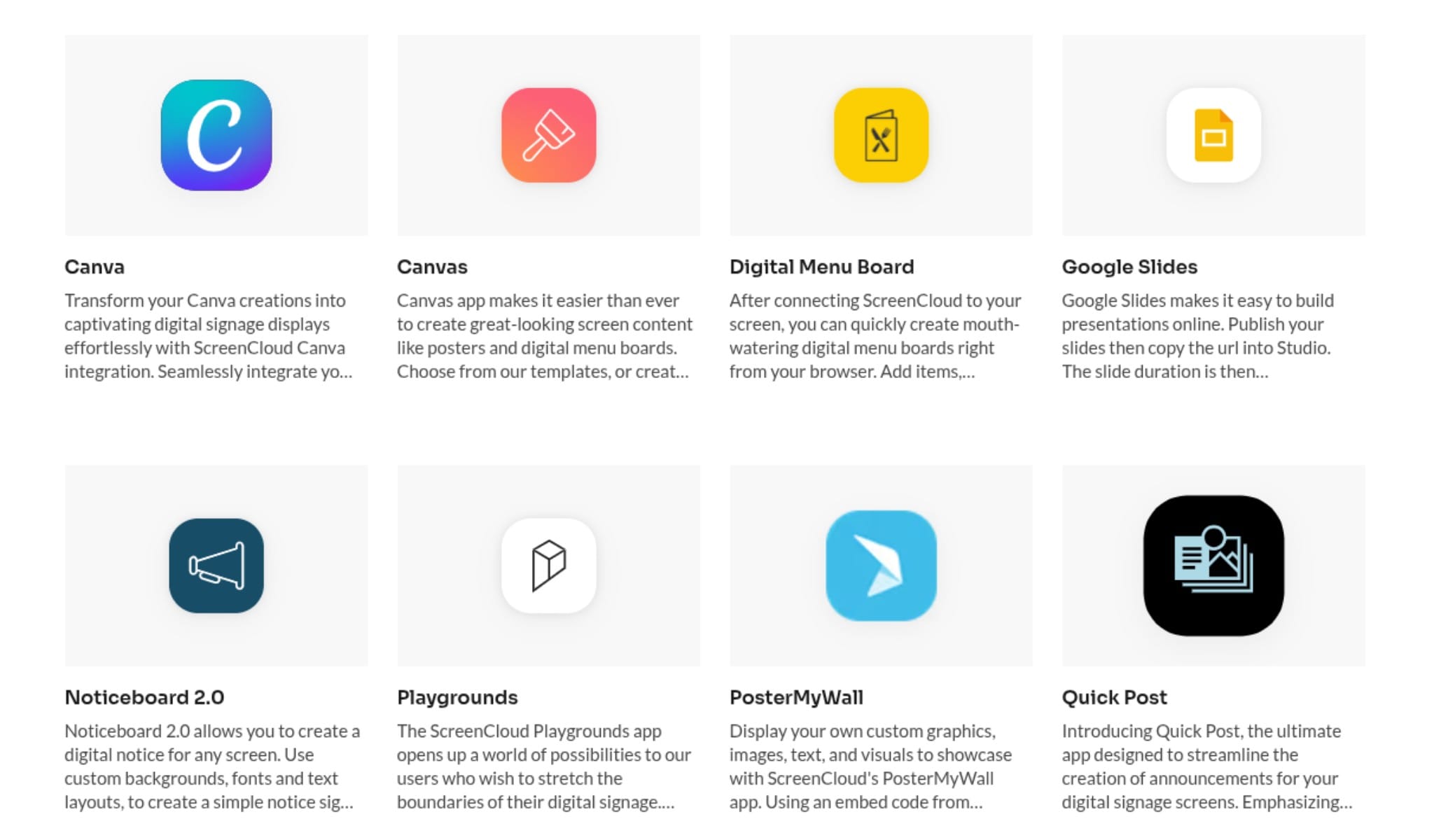
ScreenCloud puts a lot of focus on integrations.
If your business already uses tools such as Google Slides, Microsoft Teams, Slack, or YouTube, you can connect those tools to your digital signage.
That means you don’t always have to create something from scratch just for your screens. Information you’re already using can be brought into your displays.
ScreenCloud supports a wide range of hardware too, including Fire TV, Android, ChromeOS, Windows, macOS, LG and Samsung.
For more technical setups, there’s also a GraphQL API for custom integrations.
What does it cost?
Plans start at $24 per screen per month, with a 14-day free trial.
What stands out?
If integrations are important to you, look beyond the number of apps a platform lists.
Check whether it works with the tools you already use and whether the integration does what you need.
It’s also worth checking hardware support, screen management features, and user permissions before you decide.
What do customers like?
G2 reviewers often mention that ScreenCloud is easy to use.
Users also talk about using it to display metrics, calendars, dining information, and events. Others like how quickly they can get content onto their screens.
The common theme is simple: getting information onto screens without making the process complicated.
Cloud-based management
| Free Trial | No - Need to Schedule Call for Free Demo |
| Support & Training | Help Center, Live Chat Support, Bespoke Training Sessions, On-Demand Webinar and Learn Hub |
| Supported Hardware | Samsung Smart Signage Platform (SSP), LG webOS Displays, Philips Android Displays, BrightSign Players, IAdea Players, Windows PCs and macOS Devices |
| Third Party Integration | Yes - Zapier, Quividi, Okta, Weather apps and Google Sheets |
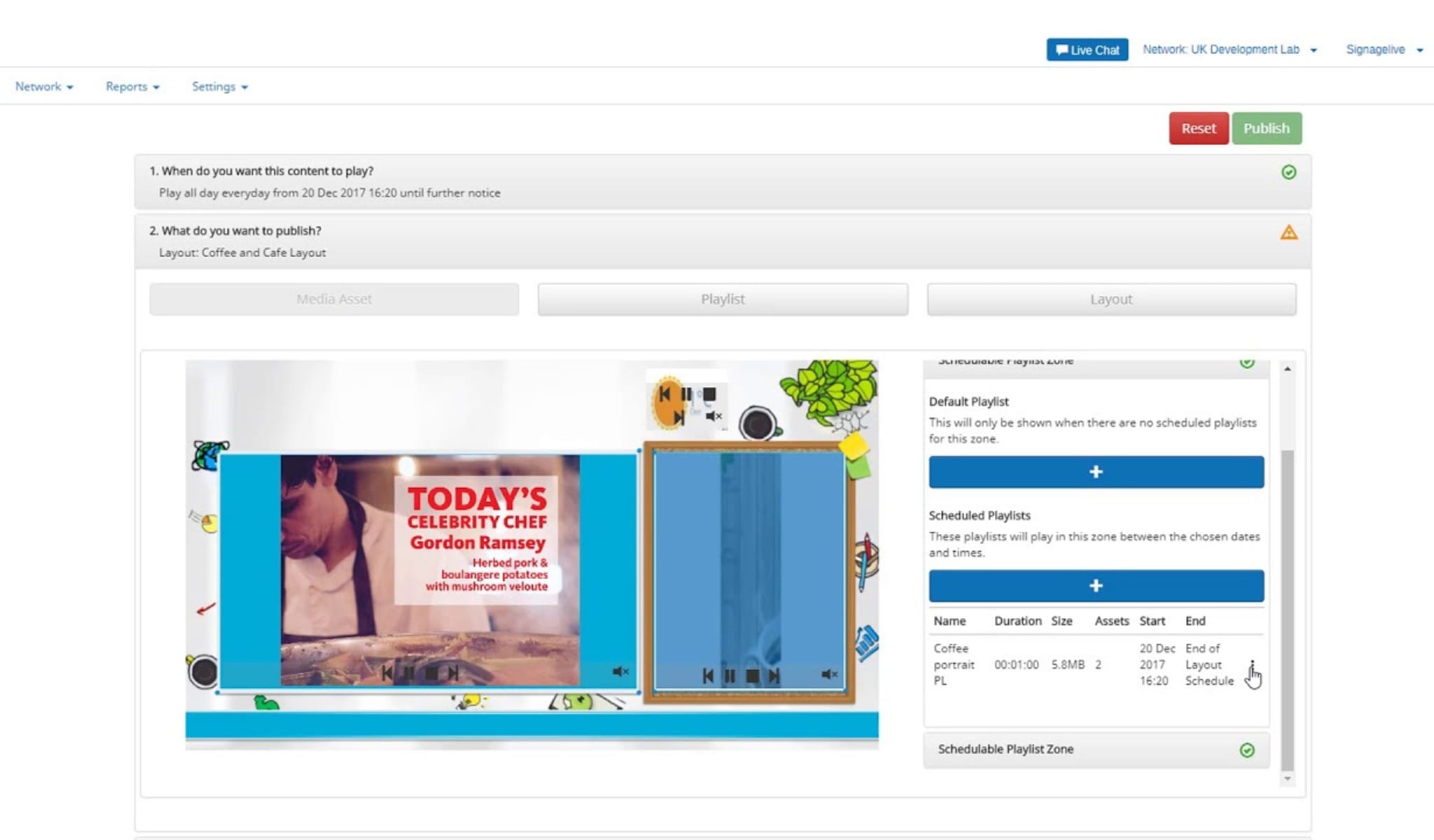
Signagelive has been in the digital signage industry since 1997.
Its platform includes tools for managing digital content across connected screens, along with features such as two-factor authentication, single sign-on, and ISO27001 certification.
It supports hardware from Samsung, LG, Philips, and BrightSign. It also integrates with services such as Zapier and Okta.
One difference you’ll notice is how you get started. Signagelive typically begins with a conversation with its sales team rather than an instant self-service signup.
What does it cost?
The standard license is approximately $270 per player per year.
What stands out?
If you’re comparing Signagelive with other platforms, look closely at security, user management, hardware support, integrations, and centralized control.
The sales-led approach is also something to keep in mind. Some businesses prefer to speak with a provider first and go through a demo before getting started.
What do customers like?
Reviewers say the platform is approachable, even for people who aren’t particularly technical.
The drag-and-drop playlist gets positive feedback too. Users like being able to reorder content and control the order in which it plays.
Support and documentation also receive good feedback.
The common complaints: some users would like faster publishing, while a few widgets don’t always behave as expected.
User-friendly solutions
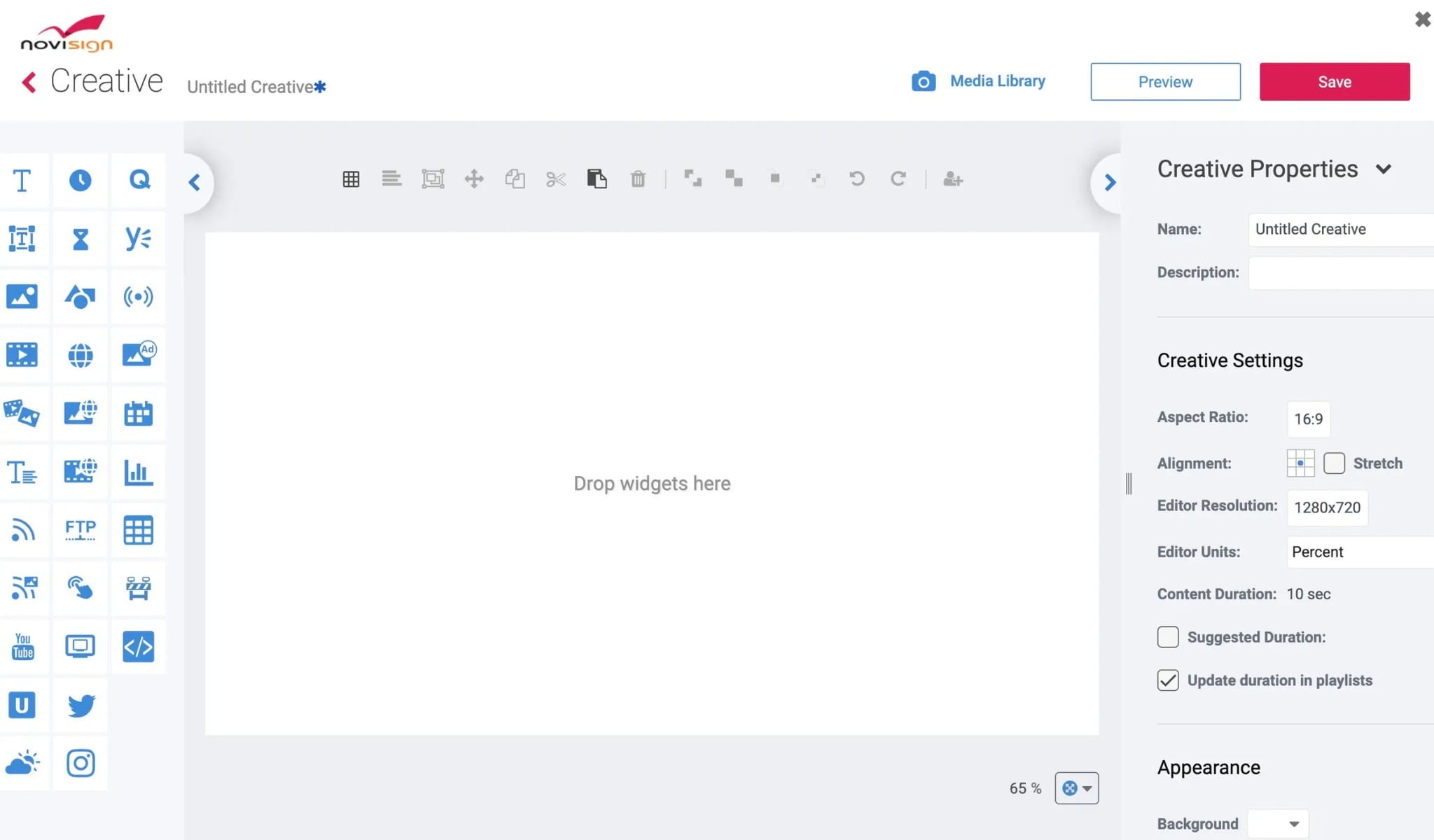
| Free Trial | Yes, 30-Day |
| Support & Training | Email Support, Quick Start Guide, Video Tutorials and FAQ Section |
| Supported Hardware | Android Devices, Chrome OS Devices and Windows Devices |
| Third Party Integration | Yes - APIs, Zapier, Emergency Alert and Player API Configuration |
Digital signage isn’t always something people simply look at.
Sometimes they need to interact with it.
Think about a touchscreen kiosk, a wayfinding display, a product browser, or an information screen where people can tap and explore.
NoviSign supports digital signage on Android, Windows, and ChromeOS, along with interactive experiences and custom applications.
It also provides APIs for things such as emergency alerts and custom kiosk functionality.
What does it cost?
The Business plan starts at $16 per screen per month, with a 30-day free trial.
What stands out?
If you’re planning an interactive display, look closely at touchscreen support, kiosk features, hardware compatibility, and integrations.
If your screens mainly show scheduled content, those features may not be as important.
What do customers like?
“Effortless” is a word that comes up in reviews.
Users say people without much technical experience can build screens quickly.
Reviewers also mention that it’s easy to teach to new team members.
Reliability gets positive mentions too.
The common complaints: some users find the interface looks dated, while others would like an easier Instagram widget.
Content creation and management
| Free Trial | Yes, 14-Day |
| Support & Training | Chat Support, Call Support, Learning Hub, User Manuals and Guides and Video Tutorials |
| Supported Hardware | Android, Windows, BrightSign, Raspberry Pi, Chrome OS, Samsung Tizen, Linux, macOS and LG webOS |
| Third Party Integration | Yes - API Integration, Pickcel API Access, Slack Integration, Shopify Integration, Square POS Integration and Clover Integration |
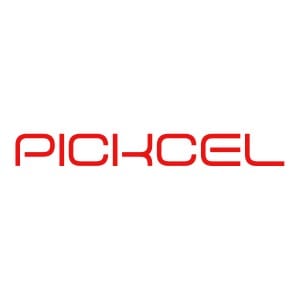
As your number of screens grows, managing them can become a different kind of task.
Pickcel offers centralized digital signage management and supports a wide range of devices and operating systems.
That includes Android, Windows, BrightSign, Raspberry Pi, ChromeOS, Tizen, Linux, macOS, and webOS.
It also integrates with platforms such as Shopify, Square, and Slack.
Pickcel says it is used by more than 5,500 businesses across 30+ countries.
What does it cost?
The Professional plan starts at $15 per screen per month, with a 14-day free trial.
What stands out?
When comparing Pickcel with other platforms, look at how it handles your number of screens and locations.
Also check the hardware you plan to use, the integrations you need, and how much centralized control your team wants.
What do customers like?
Customer support gets a lot of positive feedback.
Reviewers mention a helpful technical team and say the platform works with hardware they already use.
Some users also liked Pickcel’s ability to create a custom app for a specific requirement.
The common complaints: some reviewers mention slower server response and occasional manual fixes when using screens for multiple purposes.
Corporate Communications
| Free Trial | Yes, 30-Day |
| Support & Training | Help Documentation, API Documentation, 24/7 AI Chat Support, Customer Success Team, Product Tour Video and Webinars and Events |
| Supported Hardware | ATelemetryOS Box, Amazon Fire TV, ASUS ChromeOS Devices, Intel NUC and Mini PC |
| Third Party Integration | Yes - Google Docs, Slack, Trello, Canva, Google Sheets, OneDrive, Google Calendar, Twitter, Klips, Cyfe, Grafana, and Teem |
Digital signage isn’t only about menus and promotions.
You might want your screens to show sales figures, company announcements, calendars, dashboards, or other live information.
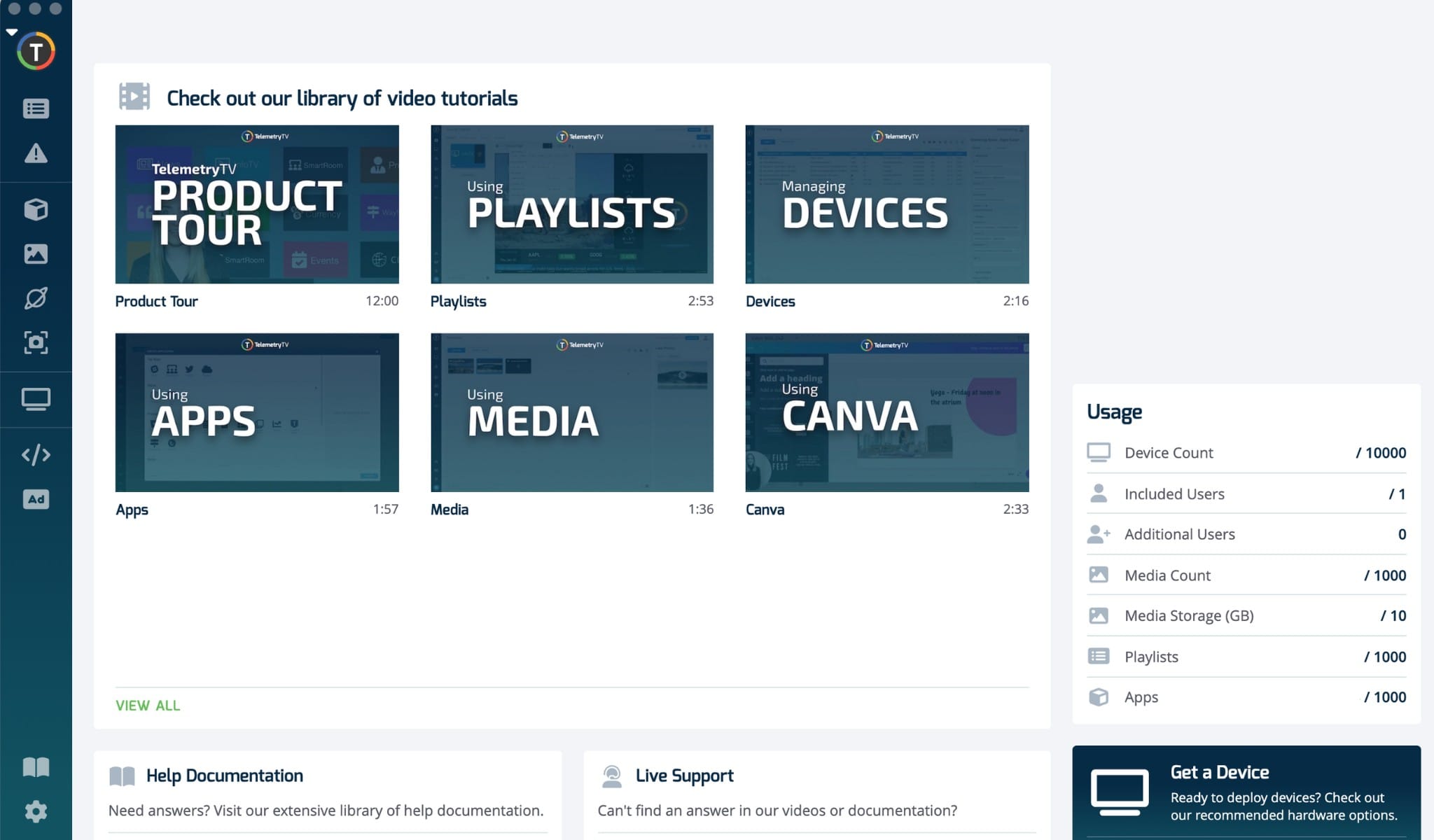
That’s where TelemetryTV comes in.
The platform integrates with services such as Grafana, Cyfe, and Google Calendar. This allows businesses to display live information rather than relying only on manually updated slides.
The company lists organizations including Starbucks and Stanford University among its customers.
What does it cost?
Plans start at $9 per screen per month, with a 30-day free trial.
What stands out?
If live data is important to your setup, look at the integrations available on each platform.
Make sure the tools you already use are supported.
It’s also worth checking the content editor, screen management features, and hardware compatibility.
What do customers like?
Reviewers say it’s easy to get content onto the screen.
The drag-and-drop scheduling tools and desktop app get positive feedback. Users also like how simple it is to add devices and keep playlists updated.
The common complaint: some users would like more customization for specific industries.
Sleek design interfaces
| Free Trial | Not Provided |
| Support & Training | Email Support, Vistar Academy, User Guides |
| Supported Hardware | AOPEN Devices with Linux OS, LG webOS Signage and BrightSign Media Players |
| Third Party Integration | Yes - APIs, Zapier, Emergency Alert and Player API Configuration |
Not everyone wants to create their digital signage content themselves.
Sometimes you’d rather have help with the design and content.
CrownTV takes a more managed approach. Along with its technology, it offers design and content services.
That can be useful if you want a more customized look without having your own team create everything from scratch.
What does it cost?
CrownTV uses custom pricing, so you’ll need to request a quote. Free Trial available upon request.
What stands out?
The main thing to consider is how much of the design process you want to handle yourself.
Some teams want complete control over their content. Others prefer having professional help available.
What do customers like?
There are fewer reviews for CrownTV, so the feedback sample is smaller.
The Capterra reviewers mention the visual quality and responsive customer service. One reviewer also liked the advertising options.
The common complaint: one user reported issues with pasted text being cut off on screen.
Robust hardware solutions
| Free Trial | Yes, 30-Day |
| Support & Training | FAQs, how-to guides, and community forums, Technical Support, BrightSign Academy and Tutorial Videos |
| Supported Hardware | BrightSign Digital Media Players |
| Third Party Integration | Yes - Appspace, Navori, Fugo, AdMobilize, Quividi and Q-SYS |
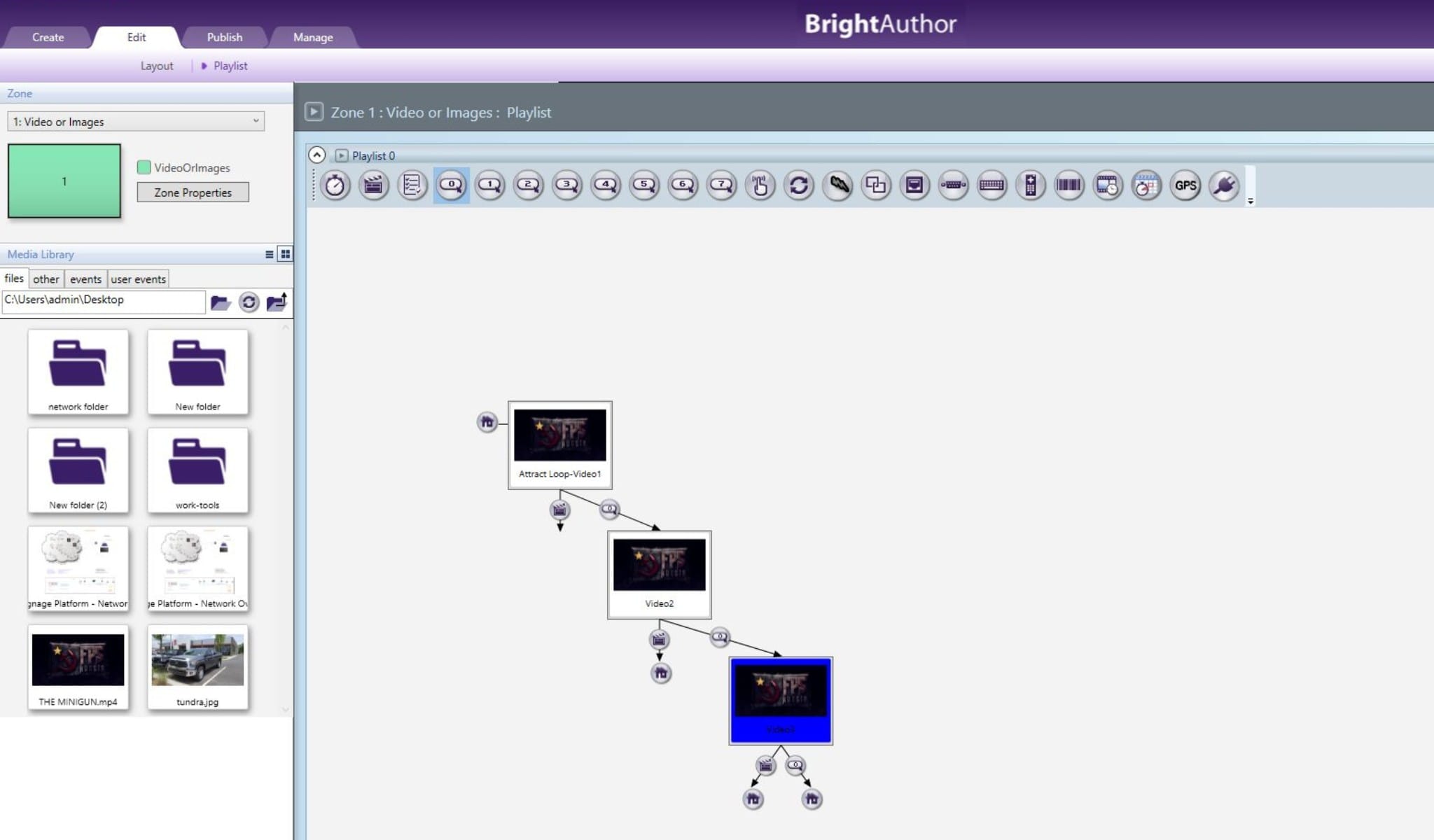
BrightSign is a little different from the other names on this list.
It’s best known for its dedicated digital signage media players, rather than being primarily a cloud-based content management platform.
The players connect to your displays and handle content playback.
You’ll also see BrightSign hardware supported by several digital signage platforms, including Signagelive, ScreenCloud, and Pickcel.
What does it cost?
Hardware and licensing are available on request, depending on the setup. A 30-day trial is available.
What stands out?
If you’re looking at BrightSign, don’t just compare the software.
Look at the hardware too.
Dedicated signage players can be useful when reliability and commercial deployment are important. But they also involve a different upfront investment compared with consumer streaming devices or hardware you already own.
What do customers like?
Reliability is one of the main things reviewers mention.
Users also like being able to update content remotely, group players, and manage content across multiple devices.
The review sample is relatively small, though, so it’s worth keeping that in mind.
The common complaints: some reviewers find the interface slow, and the upfront hardware cost can be a concern.

Programmatic advertising
| Free Trial | Not Provided |
| Support & Training | Getting Started Guide, Product Tour Video and Webinars and Events |
| Supported Hardware | Android Devices, BrightSign and CrownTV Player |
| Third Party Integration | Yes - Social media feeds, Weather Updates, Meeting Room Tools, and File Hosting Platforms |
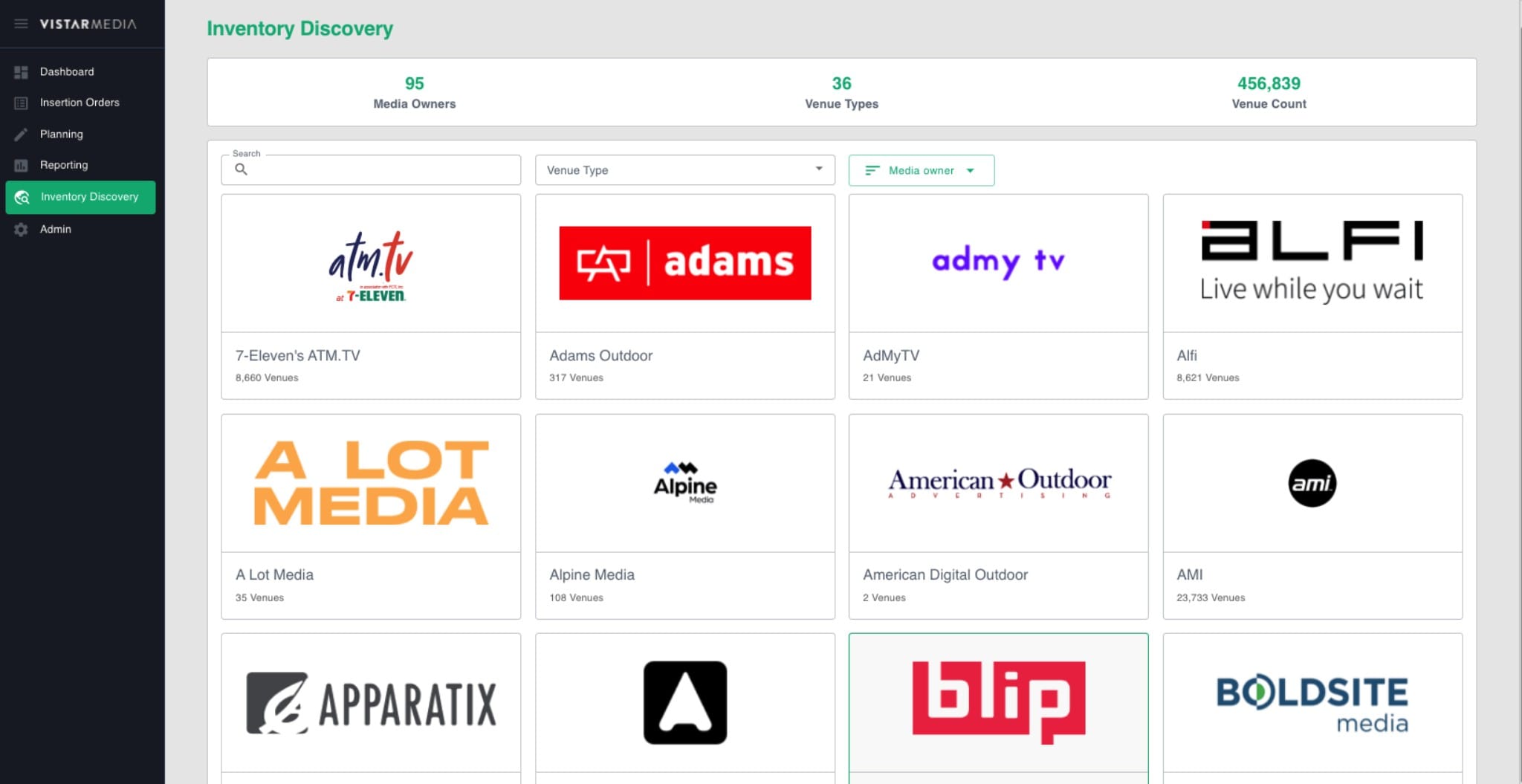
Vistar Media serves a different part of the digital signage market.
Instead of simply displaying your own content, you may have a network of screens and want to sell advertising space on them.
Vistar Media focuses on digital out-of-home advertising and programmatic ad buying.
So if you’re comparing it with traditional digital signage platforms, keep that difference in mind.
What does it cost?
No details have been shared publicly. Pricing can be requested based on your requirements.
What stands out?
Think about what you want your screens to do.
If you’re managing menus, announcements, or promotional content, you’ll likely be looking at traditional signage platforms.
If you’re managing advertising inventory across a network of screens, you’ll want to look at platforms built around that workflow.
What do customers like?
Vistar Media’s reviewers are mainly advertisers and media owners.
They like that the platform is built specifically for digital out-of-home advertising. Reviewers also mention responsive support and a team that listens to product feedback.
The common complaint: some users would like a cleaner and less laggy interface.

Book a 30 Mins Call Now!
What should you look for in digital signage software?
By now, you’ve probably noticed that there isn’t one feature that matters to everyone.
The right questions are much more practical.
How many screens are you managing?
Think about your current setup and where you may be a year from now.
Do you need to update one screen? Ten? Hundreds?
Also think about whether those screens are in one place or spread across different locations.
How often will your content change?
If your content changes several times a day, scheduling can save a lot of manual work.
Look for scheduling options that match how your business actually operates.
What will you put on the screens?
Menus and promotions are one thing.
You may also want videos, social media, dashboards, web pages, presentations, or live data.
Make sure the platform supports the content you actually plan to use.
What hardware do you have?
This is easy to miss when comparing software.
Check whether the platform works with the TVs, media players, operating systems, or other devices you already have.
If you’re buying new hardware, check that too before making a decision.
Do you need integrations?
If your team already uses Google Workspace, Microsoft Teams, Slack, Shopify, Square, or other tools, integrations can save time.
But don’t just count the number of integrations.
Check whether the specific tools you use are supported and whether the integration does what you need.
Who will manage the screens?
This can make a big difference.
Will it be your marketing team? Store managers? Restaurant staff? IT? Someone else?
A platform can have plenty of features, but those features won’t help much if the people using it find the software difficult to manage.
Do you need interactive screens?
If people need to tap, search, browse, or interact with your displays, look closely at touchscreen and kiosk features.
If people simply need to view the content, you may not need those capabilities.
How important are security and permissions?
As more people and screens are added, controlling who can access what becomes more important.
Look at user roles, permissions, authentication, single sign-on, and other administration features if they’re relevant to your setup.
What’s the total cost?
The monthly software price is only one part of the picture.
Think about:
Software + hardware + installation + content creation + support + ongoing management
A lower subscription price doesn’t always mean a lower overall cost.
- Comprehensive Digital Signage Buyer’s Guide
- Client Case Studies: Bagel Market Case Study
- Want to Compare digital signage : Use our Digital Signage comparison tool
The bottom line
There are plenty of digital signage platforms out there.
And they don’t all do things in exactly the same way.
Some put more emphasis on content creation. Others focus on integrations, enterprise management, interactive displays, dedicated hardware, design services, or advertising.
That doesn’t make one automatically better than another.
What matters is how well the platform fits your setup, needs and ease of use.
Before you decide, think about:
- How many screens you have
- Where they’re located
- What you want to display
- How often your content changes
- Who will manage the screens
- What hardware you’ll use
- Which integrations you need
- Whether you need interactive features
- What level of security and control you need
- Your overall budget
Once you know those things, comparing platforms becomes much easier.
And if you’re still unsure, try a demo or 7-day free trial where one is available.
There’s only so much you can learn from a feature list.
Seeing your own content on your own screens can tell you much more about whether a platform works for you.

About Smit
Smit Nebhwani, a tech entrepreneur with over a decade of experience, specializes in building successful SaaS products. An authority in digital signage, he shares valuable industry insights through his content. In his free time, he enjoys music, traveling, and family time.
Share this post: