
Let’s be honest. Running a restaurant is hard right now.
Ingredients cost more. Hiring is tough. Guests are watching every dollar. And one bad week can wipe out your margin.
You are not imagining it. Food costs are up about 34% compared to pre-pandemic levels, and labor costs have climbed 39% over the same period. On top of that, 42% of operators said their restaurant was not profitable in 2025.
So what can you do?
You can’t control tariffs. You can’t control supplier prices. But you can control how you present your menu, how fast you update it, and how well it sells for you.
That’s where a digital menu board comes in.
A digital menu boards is a TV screen that shows your menu. But today, it’s more than a nicer-looking menu. It’s a tool that helps you:
- React fast when costs change
- Do more with a smaller team
- Show guests real value
- Sell your most profitable items
In this guide, we’ll share 15 benefits of digital menu boards. Each one speaks to a real problem restaurant owners face this year. Let’s get into it.
From eye-catching visuals to real-time updates, they offer numerous benefits that drive engagement and profitability. Below, we’ll explore 15 key advantages of digital menu boards and why they are a must-have for your restaurant.
| Feature / Benefit | Quick Advantage for Restaurants |
|---|---|
| Feature / Benefit: Fast Price Updates | Quick Advantage: Change menu prices in minutes as food costs and supplier prices change. |
| Feature / Benefit: Reduced Staff Workload | Quick Advantage: Eliminate manual menu changes and let staff spend more time serving guests. |
| Feature / Benefit: Instant Sold-Out Updates | Quick Advantage: Remove unavailable items immediately to avoid disappointed guests and ordering delays. |
| Feature / Benefit: Real-Time Menu Flexibility | Quick Advantage: Quickly adjust items, prices, specials, and promotions as costs or supply change. |
| Feature / Benefit: Promote Value & Deals | Quick Advantage: Make combos, bundles, and special offers easy for guests to spot at a glance. |
| Feature / Benefit: Make Price Increases Feel Fair | Quick Advantage: Use photos, videos, and labels to give guests more context around higher prices. |
| Feature / Benefit: Automated Daypart Promotions | Quick Advantage: Show breakfast, lunch, happy hour, and dinner offers automatically at the right time. |
| Feature / Benefit: Protect Profit Margins | Quick Advantage: Reduce printing costs, promote high-margin items, and keep prices up to date. |
| Feature / Benefit: Built-In Upselling | Quick Advantage: Highlight add-ons, upgrades, drinks, desserts, and combos without extra staff effort. |
| Feature / Benefit: Faster Rush-Hour Ordering | Quick Advantage: Give guests the information they need before reaching the counter, helping lines move faster. |
| Feature / Benefit: Promote Direct Ordering & Loyalty | Quick Advantage: Use QR codes and on-screen messages to drive direct orders, loyalty signups, and reviews. |
| Feature / Benefit: Highlight Healthier Options | Quick Advantage: Make vegetarian, vegan, gluten-free, calorie, and allergen information easy to find. |
| Feature / Benefit: Centralized Multi-Location Management | Quick Advantage: Update multiple restaurant locations from one dashboard while keeping menus consistent. |
| Feature / Benefit: Data-Driven Promotions | Quick Advantage: Promote best-sellers, high-margin items, and slow movers based on what actually sells. |
| Feature / Benefit: Showcase Your Restaurant Brand | Quick Advantage: Use your menu screens to communicate your food, value, style, and signature offerings. |
1. Reprice Fast When Costs Change

Here’s a problem you know well. Your supplier raises prices. Your menu doesn’t change. Your margin shrinks a little more every week.
Many owners put off price changes. Why? Because reprinting is a hassle. So they wait. And they lose money while they wait.
In the first half of 2026, 87% of operators reported higher food costs. That’s almost everyone.
With a digital menu board, you don’t wait. You log in. You change the price. Every screen updates in minutes.
You can also be smarter about it. Instead of raising every price, you can adjust just the items hit hardest. Beef costs spike? Update the burger. Avocados get expensive? Update the guacamole.
Bottom line: your menu keeps up with your costs, not weeks behind them.
2. Do More With a Smaller Team
Finding good staff is one of the biggest headaches in the industry right now.
Hiring takes time. Training takes more. And just when a new hire gets comfortable, someone else quits. Many restaurants are still short-handed, and that gap isn’t closing fast.
A digital menu board takes small jobs off your team’s plate. No more swapping paper menus. No more rewriting chalkboards. No more climbing ladders to change signs.
It also answers common questions on its own. Guests can see ingredients, add-ons, and deals right on the screen. Your staff spend less time explaining and more time serving.
Bottom line: fewer small tasks for your team, and more time for guests.
3. Remove Sold-Out Items the Moment They're Gone
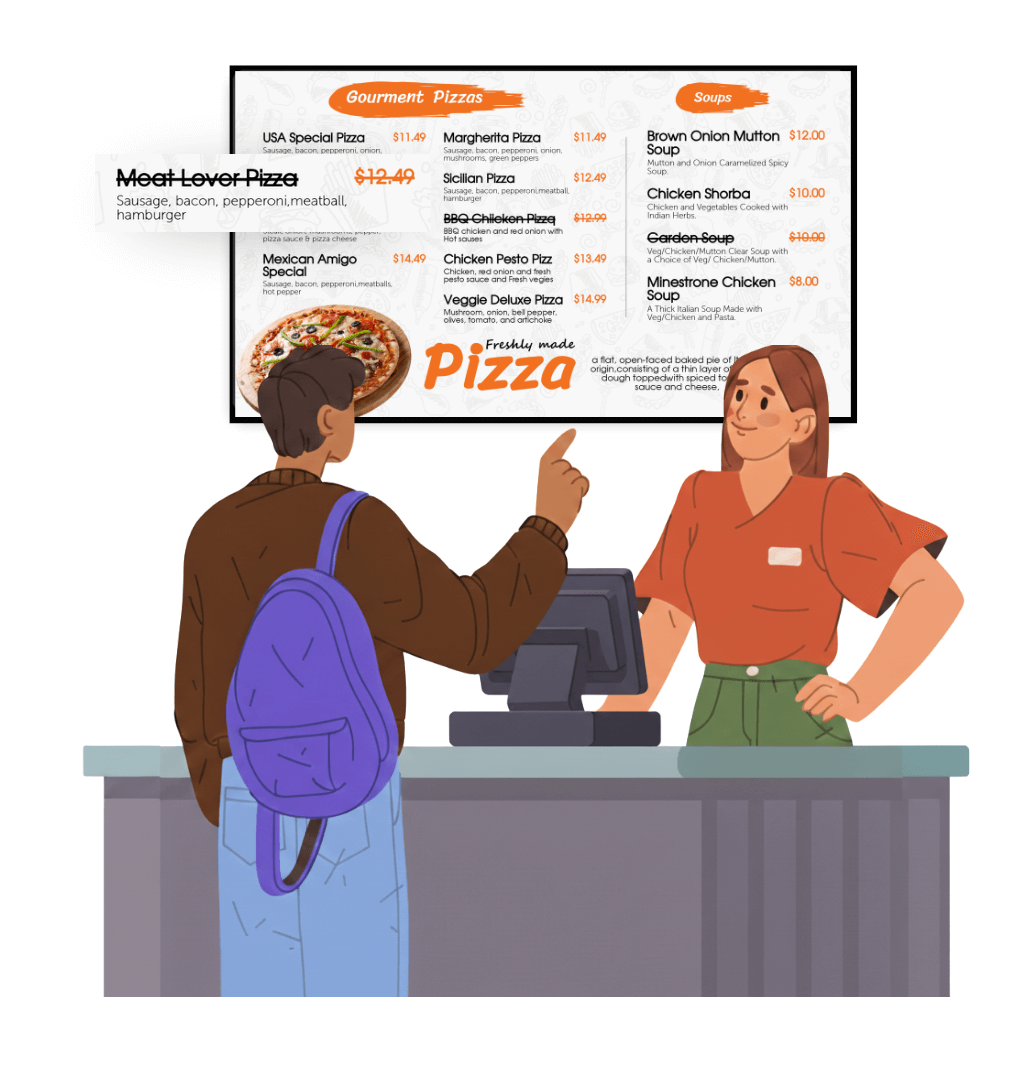
Picture this. A guest waits in line. They finally reach the counter. They order the special. You tell them it’s sold out.
They’re annoyed. Your cashier feels awkward. The line slows down. And the guest now has to decide all over again, with people waiting behind them.
This happens a lot when supply is tight or prep is lean. One late delivery. One busy lunch rush. One batch that ran out faster than planned. That’s all it takes.
With paper menus, there’s no easy fix. You can cross the item out with a marker. You can stick a “sold out” note on the board. But it looks messy, and guests often miss it anyway.
A digital menu board makes this simple. When an item runs out, open your digital menu board software. Tick the item as out of stock. Done. It’s gone from the screen, or it shows as unavailable, depending on how you set it up.
It takes a few seconds. And you save yourself from a string of disappointed guests.
Once the item is back in stock, untick it. It shows up again right away.
Bottom line: Guests don’t get let down at the counter, the lines keep moving and you staff skips the awkward conversation.

 Edit
Edit


4. React to Tariffs and Supplier Changes in Real Time
Tariffs and supply shifts are a daily worry for many owners. Imported ingredients cost more than they used to. Some arrive late. Some don’t arrive at all.
And you feel it on every invoice. Almost every restaurant is paying more for food than it did a few years ago, and the bills keep creeping up. It’s hard to plan a menu around costs that keep moving.
That’s hard to plan around. Prices can change without warning. A product you rely on may jump in cost. Or it may disappear for a few weeks.
Now think about what that means for your menu. You’ve priced a dish based on what the ingredients cost last month. This month, they cost more. Every plate you sell eats into your profit.
A printed menu locks you in. You either absorb the cost or pay for a reprint. Many owners wait. And they lose money while they wait.
A digital menu gives you room to move.
You can:
- Swap out an item that has become too costly
- Feature a similar dish that uses cheaper ingredients
- Adjust a price for just a few days
- Promote a seasonal special while a key item is hard to find
- Bring a dish back at its old price when costs settle
You don’t have to raise every price. You can adjust only the items that are hit hardest. That keeps your menu fair for guests and healthy for your margins.
Bottom line: you adapt as fast as the market does, and protect your margins while you do it.

5. Show Guests Real Value (They're Looking for It)
Today’s diners are careful with their money.
A 2026 Toast survey found that 53% of diners are eating out less often. And the National Restaurant Association found that 40% of consumers are using more discounts or value promotions than usual.
So the question isn’t just, “What do we sell?” It’s, “Do guests see the value?”
A digital menu board helps you show it.
You can:
- Feature combo meals with big, clear photos
- Highlight “meal for two” or “family bundle” deals
- Show what’s included, like a drink and a side
- Use bold labels such as “Best Value” or “Most Popular”
Value works best when guests can see it at a glance. A screen puts it right in front of them.
Even the big fast food chains are fighting a value war, with bundles and tiered value menus. Smaller restaurants can compete too. You just need to make your best deals easy to spot.
Bottom line: guests see the value, and they feel good about ordering.
6. Make Price Increases Feel Fair
Raising prices is tricky. You need to. But guests don’t always like it.
Your costs went up. So your menu has to change. The question is how guests see that change.
On a paper menu, a new price just sits there. It’s a number on a page. Guests notice it, compare it to last time, and feel the pinch.
On a digital menu board, a price doesn’t stand alone. It sits next to a bright photo, a short video, or a bold “Chef’s Pick” tag. The screen gives guests a reason to say yes. That’s the real power here.
Here’s how your digital menu board can make a higher price feel fair:
- Let photos do the selling. Use sharp, well-lit photos of your real dishes. A full, colorful plate on a big screen makes the price feel earned. A plain line of text can’t do that.
- Add motion to your best dishes. A short looping video of a sizzling steak or melting cheese pulls the eye. Guests focus on the food first, and the price second.
- Place premium items where eyes land. Put a higher-priced dish at the top or center of the screen. Your mid-priced items then look like a smart middle choice.
- Use tags that build trust. Add small labels like “House-Made,” “Locally Sourced,” or “Most Popular.” They sit right beside the price and explain it.
- Show combos clearly. Build a combo panel with a main, a side, and a drink. Guests see one price for the full meal. It feels like a better deal than three separate prices.
- Keep a few budget-friendly picks visible. Give them their own spot on the screen. Every guest should find something that fits.
Your screen also makes it easy to raise prices selectively. You don’t have to change everything. Log in. Update only the items that need it. Leave your guest favorites alone. Every screen updates in minutes.
Bottom line: you protect your margins without losing your guests’ goodwill, and your menu board does the persuading for you.
7. Run Deals and Happy Hours on Autopilot

Every restaurant has its slow hours. For many, it’s the mid-afternoon dip or a quiet weekday lunch.
Deals can fill those gaps. And right now, guests are actively looking for them. Many are eating out less often, so a good offer can be what gets them through your door.
The problem with paper is timing. Someone has to remember to put up the deal. Then someone has to remember to take it down. On a busy day, that’s easy to forget. A guest sees a happy hour offer at 7 PM and expects it. Or you keep a lunch discount running all afternoon and lose money on every order.
Mistakes happen. And with a small team, they happen more often.
Digital menu boards fix this with . That’s a simple word for scheduling. You set it once, and the screen does the rest.
For example:
Show breakfast from 7 AM to 11 AM
Show lunch combos from 11 AM to 3 PM
Show a happy hour offer from 3 PM to 6 PM
Show your dinner menu after that
Nobody has to walk over to change a thing. Your deal appears on time and disappears on time.
Here’s where it gets useful for your sales:
- Fill your quiet hours. Put a bold “Afternoon Combo” on screen right when foot traffic dips. Add a bright photo and a clear price so guests spot it fast.
- Promote what you want to sell. Have extra stock of one ingredient? Feature a dish that uses it during your slower hours.
- Push high-margin drinks and desserts. Show them front and center in the afternoon lull, when guests are more likely to stop in for a treat.
- Keep deals under control. A discount only shows during the hours you choose. You never give away margin by accident.
- Try something new. Test a Tuesday lunch deal for a few weeks. If it works, keep it. If not, remove it in minutes.
Bottom line: the right deal shows at the right time, with zero extra work from your team.
8. Protect Your Margins From Every Angle
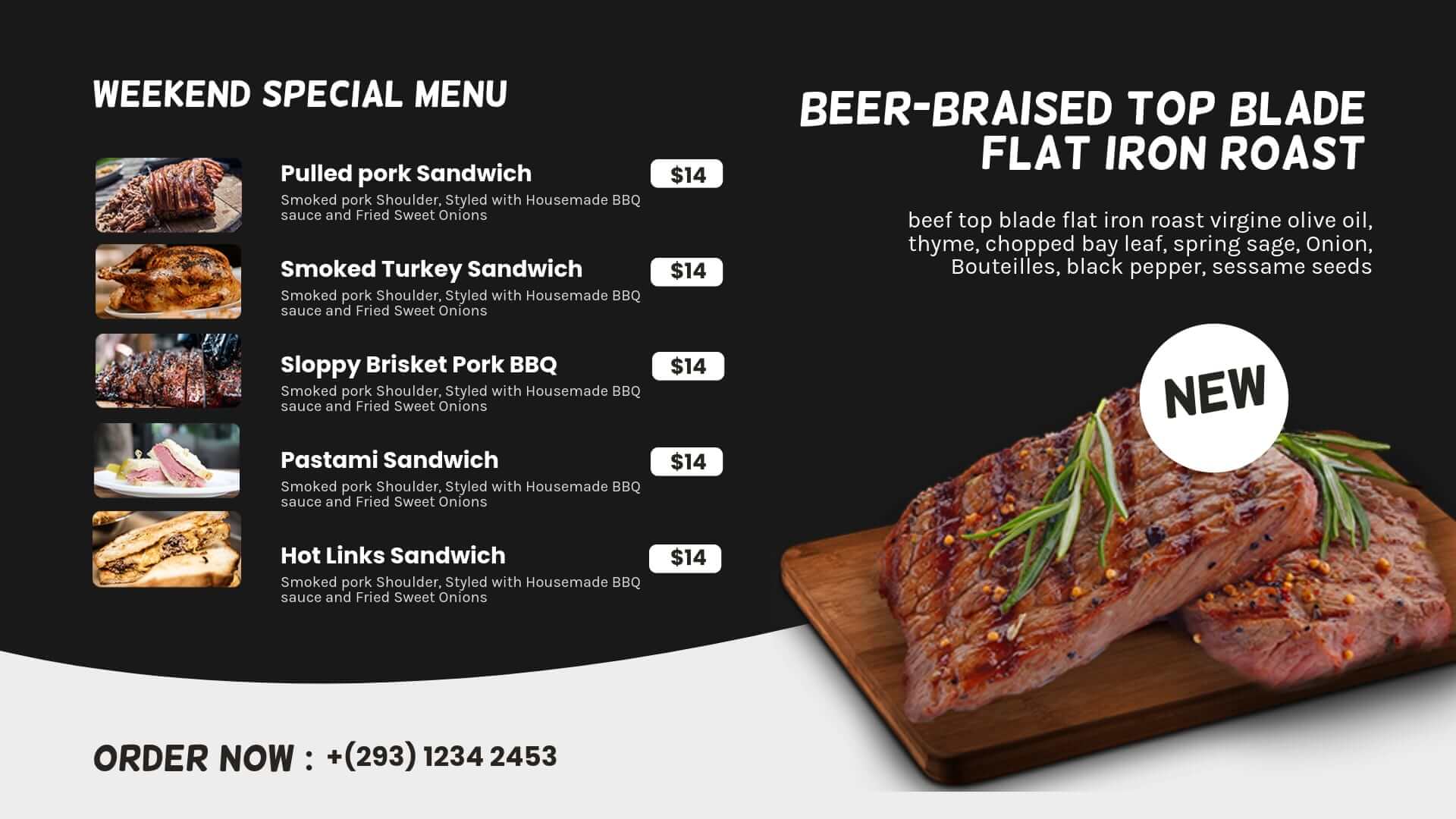
Margins are tight. You know this. So let’s look at how a digital menu helps from several sides.
You cut printing costs. No more paying for each new design or print run.
You sell more of what earns the most. Put high-margin items front and center. Guests naturally look there first.
You react faster. Prices stay current, so you don’t lose money to outdated numbers.
You reduce waste. Fewer wrong orders and fewer sold-out mix-ups mean less wasted food and time.
There are also other costs that can affect your profits, such as payment processing, energy, and utility bills. A digital screen won’t solve those expenses, but it can help you find savings and create more opportunities to increase sales in other areas.
Results vary by restaurant. Many operators report a few percent lift in sales after switching. Small gains add up fast over a full year.
Bottom line: many small wins that protect your bottom line.
9. Upsell Without Extra Training
Upselling can increase the value of each order, but it often depends on your staff remembering to suggest something extra.
During a busy shift, that can be easy to miss. New employees may not know which items to recommend, while experienced staff may simply be focused on serving the next customer.
A digital menu board can help make those suggestions part of the ordering experience. Instead of relying on staff to remember every add-on or upgrade, you can highlight them directly on the screen.
Try simple ideas like:
- Show popular add-ons: Highlight extras such as cheese, bacon, toppings, or sauces.
- Create meal combinations: Show a main item with a drink and side to make the choice easier.
- Highlight upgrades: Give customers a clear reason to choose a larger or premium option.
- Promote desserts and drinks: Feature these items where customers can easily notice them.
The goal isn’t to pressure customers. It’s simply to show them options they may not have considered.
Bottom line: Make upselling a natural part of the ordering experience, without adding more work for your staff.
10. Speed Up the Line During Rush Hours
Rush hour can put your entire restaurant under pressure. Your team is busy, the line is growing, and every extra minute at the counter can slow things down.
This is where a digital menu board can make a real difference.
Instead of waiting until guests reach the counter to decide what they want, your menu can start working for you before they even place an order. Clear categories, food images, combos, prices, and featured items give customers the information they need while they wait.
When guests already know what they want, your staff can spend less time explaining the menu and more time taking orders and serving customers.
A digital menu board can help you:
- Reduce hesitation at the counter
- Make your menu easier to understand
- Guide customers toward popular items and combos
- Keep the ordering process moving during busy periods
- Reduce pressure on your staff
You don’t need a larger team to make the ordering process smoother. Sometimes, making the menu easier to see and understand is enough to keep things moving.
Bottom line: A well-designed digital menu board helps your restaurant handle busy periods with a faster, clearer, and more organized ordering experience.
11. Send Guests to Your Own Ordering and Loyalty Channels

Here’s something many owners feel but rarely say out loud. A big slice of every delivery order goes to the app, not to you. Card fees, rising costs, and thin margins make it sting even more.
The best orders are the ones that come straight to you. No middleman. No extra cut.
Your menu board is the perfect place to nudge guests that way. They’re already looking at it. They’re already deciding what to eat.
Here’s how to use it:
- Add a QR code for direct ordering. Put it in a corner of your screen with a short line like “Order ahead and skip the line.” Guests scan it while they wait.
- Promote your loyalty program. Show a simple offer like “Join today and get a free drink on your next visit.” Place it where people stand in line.
- Share your website or social page. Guests who follow you hear about new dishes and deals without paying for ads.
- Ask for reviews. A small “Loved your meal? Leave us a review” message with a QR code can bring in fresh reviews week after week.
- Announce pickup and takeaway options. Many guests don’t realize you offer them until they see it.
The best part? Changing the message takes minutes. Running a promotion this week? Swap the banner. Launching a new app next month? Update the screen. No reprinting table tents or counter signs.
You can also rotate these messages between menu slides. Show your food first. Then show the offer. Guests see both without feeling pushed.
Bottom line: your screen doesn’t just sell dishes. It builds a direct line to your guests, and that protects your margins.
12. Highlight Lighter and Healthier Options
Diner tastes are shifting. Many guests want lighter, fresher choices.
Health-positioned items are among the last that consumers cut when they trade down. In other words, even guests on a tight budget still want healthy options.
A digital menu board makes these easy to feature. You can:
- Add icons for vegetarian, vegan, or gluten-free dishes
- Show calorie counts next to items
- Highlight protein-rich or light options
- Add allergen labels for guest safety
In the U.S., calorie labeling rules apply to chains with 20 or more locations. Other regions have their own rules. Always check what applies to you.
Even if you aren’t required to show this info, guests appreciate it. It builds trust.
Bottom line: you meet guests where their tastes are heading.
13. Manage Many Locations Without Burning Out Your Managers
Do you run more than one location? Then you know the struggle.
Each location has its own manager. Each manager has a long to-do list. Menu updates are one more task.
Without central control, things drift. One store has the new price. Another doesn’t. One shows the old special. Another is missing a photo.
With digital menu boards, you manage everything from one dashboard. You can:
- Update all locations at once
- Set location-specific prices when needed
- Keep fonts, colors, and layouts consistent
- Launch a new item everywhere in minutes
Your managers stay focused on service. Your brand stays consistent.
Bottom line: control from one place, with less back-and-forth.
14. Use Data to Decide What to Promote
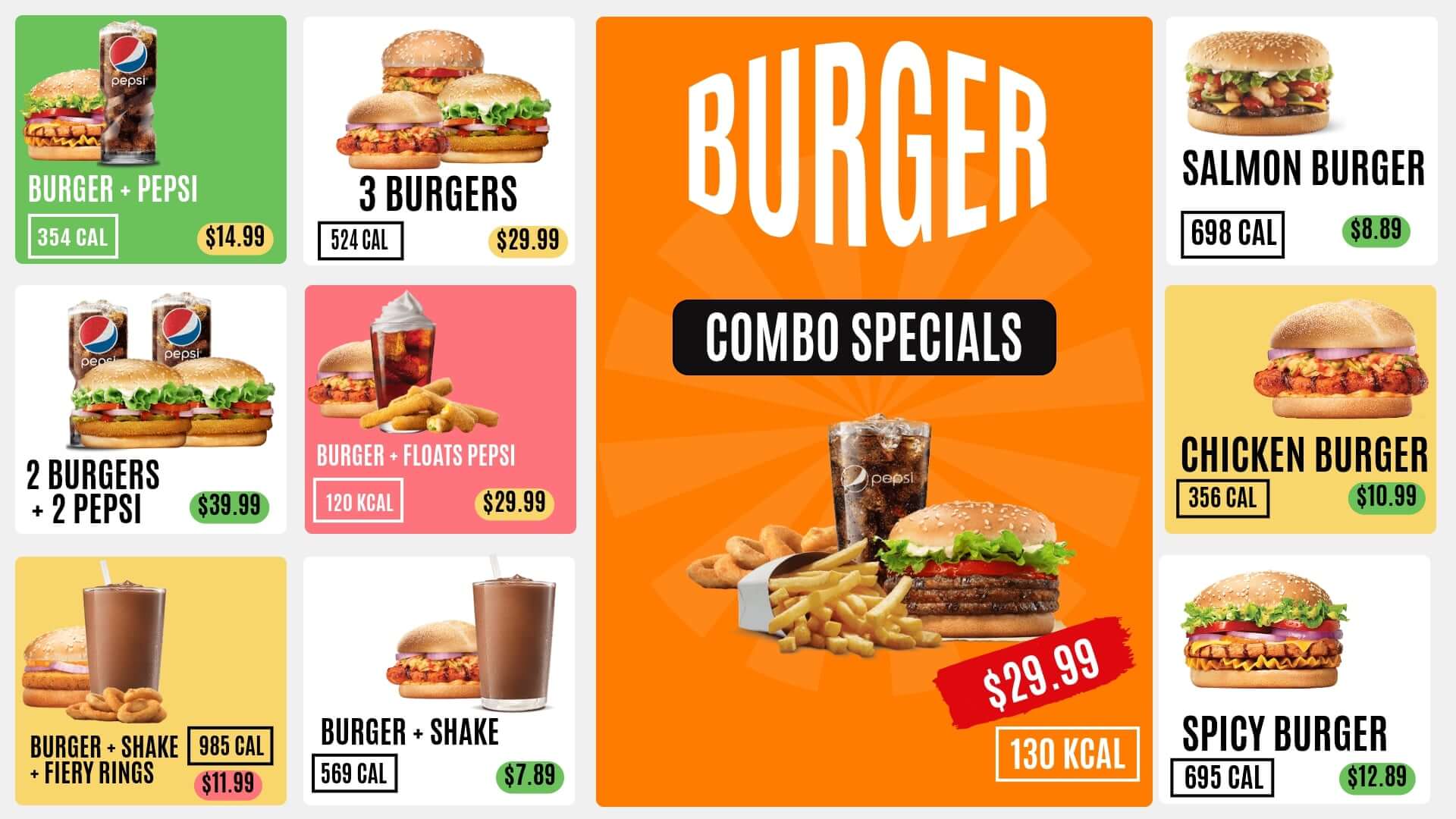
Many owners still decide what to promote by gut feeling. That’s understandable. But today you can do better.
Your POS already tells you what sells. It also shows which items earn the most. A digital menu board lets you act on that.
For example:
- Promote items with strong margins
- Feature slow movers with a fun photo or small deal
- Test two different layouts and see which sells more
- Spotlight best-sellers to build social proof
Some systems are now adding AI features. These can suggest items based on time of day, popular choices, or even the weather. This area is still growing. You don’t need it to get started. But it’s good to know where things are heading.
Bottom line: smarter menu choices based on what actually sells.
15. Show Guests Exactly What Your Restaurant Is About
Guests today choose in one of two ways. Some want a good deal. Others want a special night out and will pay for it.
The restaurants that struggle are the ones stuck in the middle. They aren’t the cheapest option. They don’t feel special either. Guests walk past without knowing why they should pick them.
So the question is simple. What is your restaurant known for?
Your digital menu board helps you answer that, without a word from your staff.
If you’re known for value, make it obvious:
- Put your best combos and bundles front and center
- Use bold price tags that guests can read from across the room
- Add labels like “Best Deal” or “Meal for Two”
If you’re known for the experience, show it:
- Use large, rich photos of your signature dishes
- Feature chef specials and seasonal items
- Keep the layout clean, calm, and polished
Either way, guests understand your restaurant in a few seconds. They know what to expect. And they know why it’s worth it.
A screen also sends a quiet message. It tells guests your restaurant is current and well run. That builds trust before they’ve tasted a thing.
Here’s one more bonus. Place a screen facing your window, and people walking by can see your menu, even when you’re closed. They get a peek at your food and your prices. Many will remember you and come back.
Bottom line: guests know what you offer and why it’s worth it, and they choose you over the place next door.
Quick Tips for a Great Menu Board
- Keep it clean. Too much text overwhelms guests.
- Use real photos. Well-lit photos of your own food beat stock images.
- Make text easy to read. Use large fonts and strong contrast.
- Feature your stars. Highlight best-sellers and high-margin items.
- Refresh often. Change a promo or photo every few weeks.
Frequently Asked Questions
Are digital menu boards worth it in 2026?
For many restaurants, yes. Costs keep shifting and staff are hard to find. A digital menu lets you reprice fast, schedule deals, and save time. Results vary by restaurant.
How do digital menu boards help with rising food costs?
They let you update prices in minutes. You can also feature high-margin items and swap out dishes that have become too expensive.
Can digital menu boards help with staff shortages?
Yes. They remove small jobs like swapping menus or rewriting boards. They also answer common guest questions and handle upselling on their own.
Do digital menu boards increase sales?
Yes, they most definitely do. Many restaurants see gains from better upselling, clearer deals, and faster ordering. Your results depend on your menu, layout, and guests.
How much does a digital menu board cost?
There are two parts: software and a screen. Software plans can start around $10 per screen per month. Screen prices depend on size and brand.
Can I use a regular TV for a digital menu board?
Yes. Many restaurants use a standard TV with a media player or stick. Just check that your software supports the device.
What happens if my internet goes down?
Good systems store your menu on the device. It keeps playing until the connection returns. Ask about this before you buy.
Final Thoughts
You can’t control what your suppliers charge. You can’t control the economy. And you can’t make guests spend more than they want to.
But you can control your menu.
That’s the part most owners overlook. Your menu is the one thing every guest looks at before they spend a single dollar. It shapes what they order, how they feel about the price, and whether they walk out happy.
A digital menu board gives you a lot more say over all of that. You can change a price the day your costs change. You can pull a dish the moment it sells out. You can put a deal on screen when the restaurant is quiet and take it down when it’s busy. And your team gets a little time back on every shift.
None of this fixes everything. But small wins add up. A few extra add-ons here. A few fewer disappointed guests there. Over a month, that’s real money. Over a year, it’s a real difference.
You also don’t need to rebuild your whole restaurant. Start with one screen at your counter. See how guests react. Then decide what’s next.
Want to see how it feels? Start your 7-day free trial with us today or schedule a quick call with us. For any queries or questions, reach us out at info@dotsignage.com

About Smit
Smit Nebhwani, a tech entrepreneur with over a decade of experience, specializes in building successful SaaS products. An authority in digital signage, he shares valuable industry insights through his content. In his free time, he enjoys music, traveling, and family time.
Share this post: