Complete Feature Set

Everything You Need to Run Digital Signage Software at Scale

From animated templates to multi-location management – all the features restaurants, retailers, corporate and other businesses need to create, schedule, and manage professional digital displays.

30+

Built-In Apps

750+

Ready-to-Use Templates

7K+

Screens Powered

Platform Overview

Six Pillars of Professional Digital Signage Software

Every feature designed to save time, eliminate complexity, and give you complete control over your digital displays.
Animated Templates

Animated Templates

750+ templates with 11 animation effects. Make menus, promotions, and displays impossible to ignore.

Animation Effects 750+ Templates
content creation

Content Creation

Upload images, videos, or HTML widgets. Display anything on your screens with drag-and-drop simplicity.

Images Videos HTML Animations
smart scheduling

Smart Scheduling

Automate menu changes by time of day. Run event-based promotions that revert automatically.

Dayparting Event-Based

playlist content

Playlist Control

Rotate multiple screens with custom time intervals. Mix templates, uploads, and apps seamlessly.

Multi-Content Time Intervals

team permissions

Hardware Flexibility

Works on Amazon Signage Stick or any Android device. Group 100s of screens, split zones, rotate displays.

Signage Stick Android Multi-Zone

team permissions

Team Permissions

Role-based access control. IT managers get full access, designers edit templates, staff publish.

Role-Based Granular Control

Template Editor

Animated Digital Signage Templates

Every template in DotSignage now includes 11 animation effects. Static displays get ignored - motion catches the eye and drives action.

11

Animation Effects

750+

Animated and Static Templates

Content Management & Upload

Upload Your Own Images or Videos

Beyond templates: upload your own images, videos, or HTML widgets. Complete creative freedom with zero technical complexity.

Images & Graphics:  JPG, PNG - any resolution, any size

Video Content: MP4, MOV - sizzle reels, promos, brand videos

HTML Widgets: Custom code - live data feeds, interactive displays

Common Use Cases

Scheduler

Smart Scheduling: Set It and Forget It

Two powerful scheduling types that automate your content: Regular schedules for daily patterns and Event schedules for one-time promotions.

Type 1: Regular Schedule

Dayparting Automation

Set recurring schedules based on time of day. Perfect for restaurants, cafes, and any business with daily content changes.

Coffee Shop Example

6:00-11:00 AM

Breakfast

11:00-4:00 PM

Lunch

4:00-10:00 PM

Dinner

Type 2: Event Schedule

One-Time Promotions

Schedule special events that automatically revert to your regular schedule when complete.

Black Friday Example

Nov 20-23

Regular

Nov 24-25

Black Friday

Nov 26+

Auto-Revert

create your playlist in dotsignage

Playlist Control

Rotate Content with Custom Timing

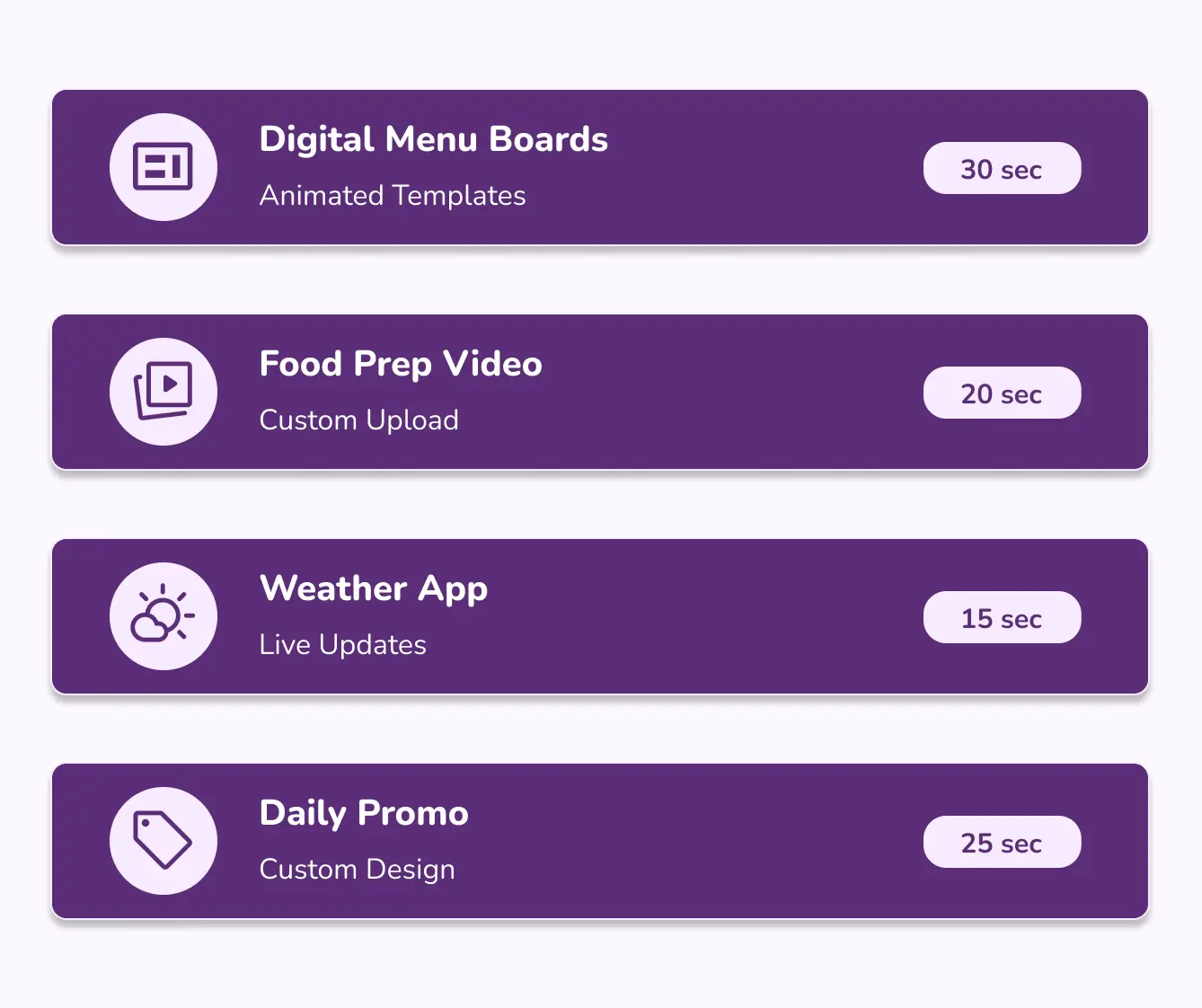
Build playlists that mix templates, videos, and apps with custom display durations.

Hardware Flexibility

Works on Any Hardware

DotSignage runs on an Amazon Signage Stick or any Android device with a Google Play Store. Group hundreds of screens, split into zones, or rotate displays for ceiling mounts.

works with fire stick

Amazon Signage Stick

Turn any TV into a digital signage with commercial grade Amazon Signage Stick.

works with any android device

Any Android Device

Android TVs, tablets, displays (with a Google Play Store) - if it runs Android, it runs DotSignage.

group your screen

Screen Grouping

Manage 100 screens as one group. Update all or target specific groups.

multi zone screen layouts

Multi-Zone

Split one screen into zones. Show menu + video + weather together.

Display Rotation

Portrait, landscape, or upside-down for ceiling-mounted TVs.

assign content to tv

Direct Assign Content

Assign designs, playlists, schedules directly to hardware.

Team Permissions

Team Collaboration with Role-Based Access Control

Give team members exactly the access they need. IT managers get full control, designers edit templates, staff publish content.

assign role based access to user

Granular Control

Add team members by email and assign exact permissions. Perfect for franchises and multi-location businesses.

30+ Built-In Apps

No Content? No Problem.

Use 30+ digital signage apps to create professional content instantly. From digital menu board templates to Canva to weather - all built-in.
digital menu boards editor app
Digital Menu Boards

Animated restaurant templates

digital canvas editor app
Digital Canvas Editor
Retail, corporate, gym templates
display canva design on tv
Canva

Display Canva designs

weather digital signage app
Weather

Live local weather

embed iframe app
Embed Iframe

Embed any web page

google slide app
Google Slide

Display Google slide

web scroll app
Webscroll

Auto scroll any website

more digital signage app
More Apps
+25 additional

All Apps Included - No Extra Cost

Every app is built-in and ready to use. No add-ons, no upsells.

The Complete Workflow

How All the Features Work Together

From content creation to live screens - the end-to-end workflow powering 7000+ displays.

Pick Your Content

Option A: Upload your own images/videos | Option B: Choose from 750+ animated templates | Option C: Use 30+ built-in apps

Customize in Editor

Drag-and-drop interface. Add animations (11 effects), adjust layouts, change colors - all visual, no coding.

Build a Playlist (Optional)

Rotate multiple screens with custom time intervals. Mix templates + videos + apps in one playlist.

Set Your Schedule (Optional)

Regular Schedule: Auto-switch by time of day | Event Schedule: Run promotion, then auto-revert

Assign to Hardware

Assign any Design or App or Playlist or Schedule and Select which screens show this content. All screens, location groups, individual screens, or multi-zone layouts.